GitHub Repositories
Other Projects
Custom Forms – ICE/Ellie Mae Encompass (C#.Net)
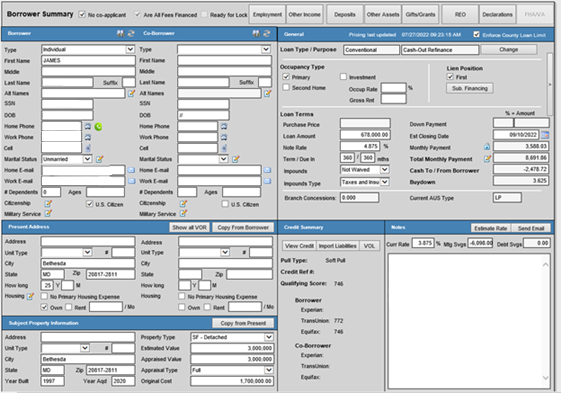
This form was designed to ensure that Loan Officers were able to capture all of the data that was required to complete the 1003 Uniform Residential Loan Application without the need to navigate to all of the various forms which make up the 1003 and ancillary data within the native Encompass system. The buttons across the top launched modal, contextual forms, while the flyout in the upper right portion of the screenshot toggled a toolbar with numerous additional tools/features as needed.
A custom Encompass Borrower Summary form / 1003 URLA forms replacement
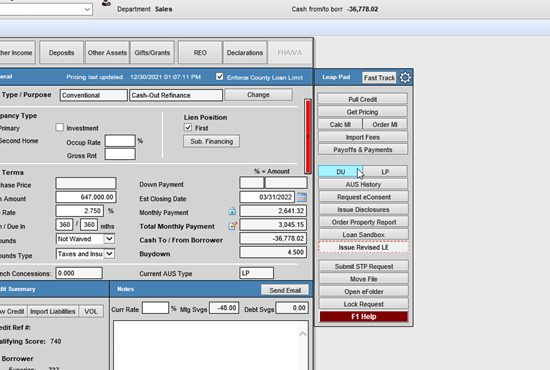
The flyout menu of the custom borrower summary form is shown here. Note that in this example, the flyout menu along with a particular tool bar item were highlighted in red to indicate that an action was required by the end user.
A custom Encompass Borrower Summary form / 1003 URLA forms replacement showing the flyout menu extended
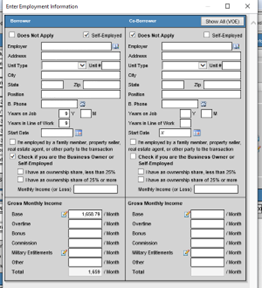
A custom Encompass modal form for capturing Borrower/Co-Borrower Employment and Income information for the Uniform Residential Loan Application.
A custom Encompass modal form for capturing Borrower/Co-Borrower Employment and Income information for the Uniform Residential Loan Application.
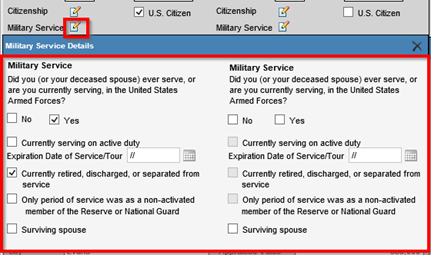
A custom Encompass modal form for capturing Borrower/Co-Borrower Military Service information for the Uniform Residential Loan Application.
A custom Encompass modal form for capturing Borrower/Co-Borrower Military Service information for the Uniform Residential Loan Application.
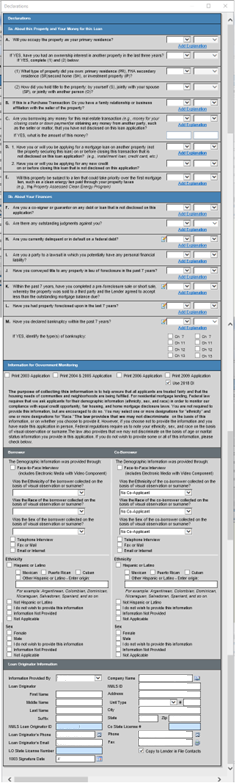
A custom Encompass modal form for capturing Uniform Residential Loan Application Borrower/Co-Borrower declaration information
A custom Encompass modal form for capturing Uniform Residential Loan Application Borrower/Co-Borrower declaration information
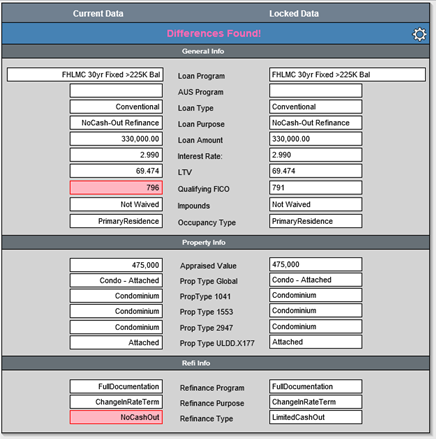
Lock Comparison: Form to be leveraged by Lock Desk staff to ensure that any terms that may have changed since the rate was locked have been validated by lock desk/secondary marketing, repriced, and redisclosed if necessary.
Custom Encompass Lock Comparison Form
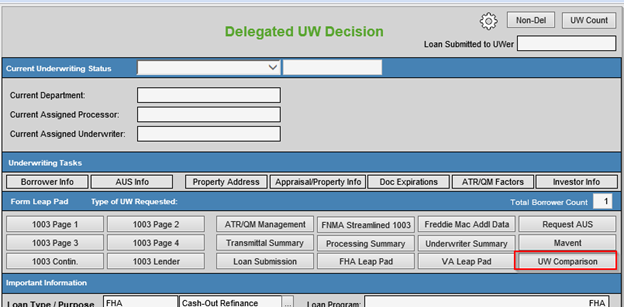
A custom Encompass Underwriting Decision form. 90% of what an UW needed to complete as a part of their loan decision could be done from this form. Note: the highlight in the first image was part of an outline of how to use the UW comparison form which is also partially highlighted in this gallery. This screenshot shows the upper portion of the form containing Task and Leap Pad buttons.
A custom Encompass Underwriting Decision form. 90% of what an UW needed to complete as a part of their loan decision could be done from this form. Note: the highlight in the first image was part of an outline of how to use the UW comparison form which is also partially highlighted in this gallery. This screenshot shows the upper portion of the form containing Task and Leap Pad buttons.
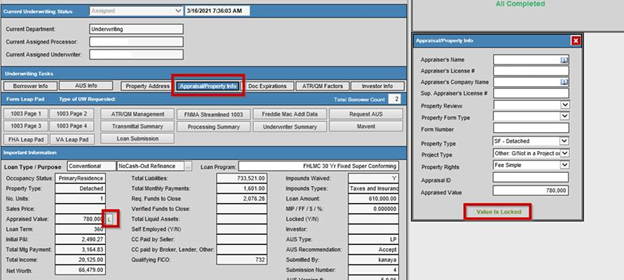
An example of an open leap pad panel (Appraisal/Property Info) along with an overview of the important details section:
UW Decision Upper Portion showing the Appraisal/Property Info Flyout
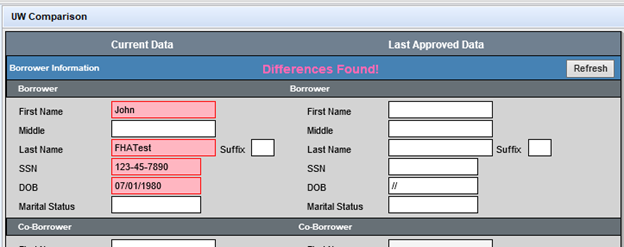
A custom Encompass Underwriting Comparison form. A custom plugin took a snapshot of the data on a loan at the time of approval and then the code behind the form load of this form showed a comparison between current loan data and the last approved loan data. This would allow an Underwriter (or any other persona) to easily identify what if any critical information has been modified since their last touch.
A custom Encompass form used to identify data discrepancies between the current loan data and the most recently underwriter decisioned data.